The real cyber threats of 2026, explained in plain language — and exactly how to lock your digital life down for good.
You would never leave your front door wide open, your wallet on the porch, and your filing cabinet on the lawn before going to sleep. And yet, millions of people — and massive corporations — leave their digital doors completely unlocked every single day.
In 2026, the digital world is more connected than it has ever been. From the smart thermostat in your home to the global banking systems that hold your life savings, everything is online. Everything is accessible. And that convenience — that beautiful, effortless convenience we have all grown addicted to — comes with a very dark side: a shadow industry of hackers working around the clock, every single day, looking for a way in.
The average cost of a single data breach has now skyrocketed past $5 million for businesses. Cybercrime is projected to cost the world over $10.5 trillion annually in 2026 — more profitable than the global trade of all major illegal drugs combined. This is not a niche IT problem anymore. It is a survival skill. And whether you are a student, a small business owner, or someone who simply has a phone in their pocket, it affects you directly.
The good news is that protecting yourself does not require a computer science degree. It requires understanding what you are up against — and then taking a few smart, simple steps. This guide is going to give you both, in the most straightforward way possible. No jargon. No fear-mongering. Just the truth about what is out there and how to stay ahead of it.
So what exactly is cybersecurity?
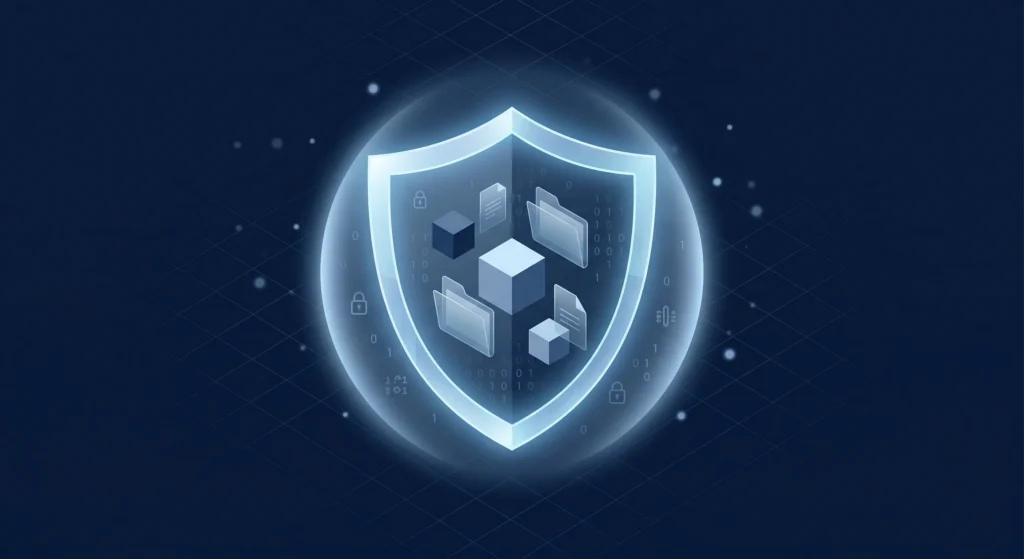
At its core, cybersecurity is the practice of defending computers, networks, devices, and data from malicious attacks. Think of it as a digital bodyguard — one that sets up layers of defence to prevent unauthorised access. It covers everything from network security, which guards the pathways between computers, to encryption, which scrambles your data so thoroughly that even if a hacker steals it, they cannot read a single word of it. But to build a good defence, you first need to understand how the enemy attacks.
The four biggest threats out there right now
Phishing
A fake email pretending to be your bank tricks you into clicking a bad link. It is the number one cause of stolen passwords in the world.
Social Engineering
Hackers manipulate you psychologically — calling as fake IT support — until you voluntarily hand over your own login details.
Malware
Malicious software that secretly installs itself, tracks your keystrokes, steals your files, and runs silently in the background.
Ransomware
Locks you out of your own files and demands a crypto ransom to return them. A business falls victim every 11 seconds worldwide.
Your protection toolkit — what actually works
Here is the truth most people do not realise: implementing just a few basic security tools makes you a hard target, and most hackers will give up and move on to easier victims. Antivirus software acts like your immune system, catching known threats before they can execute. A firewall works like a bouncer at the door — monitoring everything coming in and going out, and blocking anything suspicious. A VPN creates an encrypted tunnel between you and the internet, hiding your data and location entirely — it is non-negotiable if you ever use public Wi-Fi at a café or airport. And for businesses, Zero Trust is the new gold standard: a security model that operates on one simple rule — never trust, always verify. By 2026, over 70% of enterprise companies have already made the switch. None of these tools are complicated. They just need to be turned on.
The good guys fighting back — ethical hacking
If hackers are so clever, how do we ever stay ahead? The answer is that companies hire their own hackers first. Ethical hacking — also called white hat hacking — is a booming industry where brilliant security experts are paid to legally break into a company’s systems and find the weak spots before the bad guys do. They think exactly like an attacker, because they were trained like one. It is one of the most important and fastest-growing careers in technology, and it is a big reason why the best-secured systems in the world stay one step ahead.
Conclusion
Cybersecurity is just digital common sense. Just like you would never hand your house keys to a stranger on the street, you should never hand your password to an unverified email. The internet in 2026 is full of traps — some try to trick you into clicking bad links, some try to lock your files and demand money, and others try to sneak in so quietly you never notice them at all. But protecting yourself does not have to be complicated. Use a good antivirus. Turn on your firewall. Use a VPN on public Wi-Fi. Never reuse the same password twice. Build these simple walls around your digital life, and the bad guys will almost always move on to an easier target. Stay smart, stay suspicious, and keep your digital doors locked. The lock is free — the breach is not.
A beginner’s guide to the invisible technology running your world — in plain, human language.
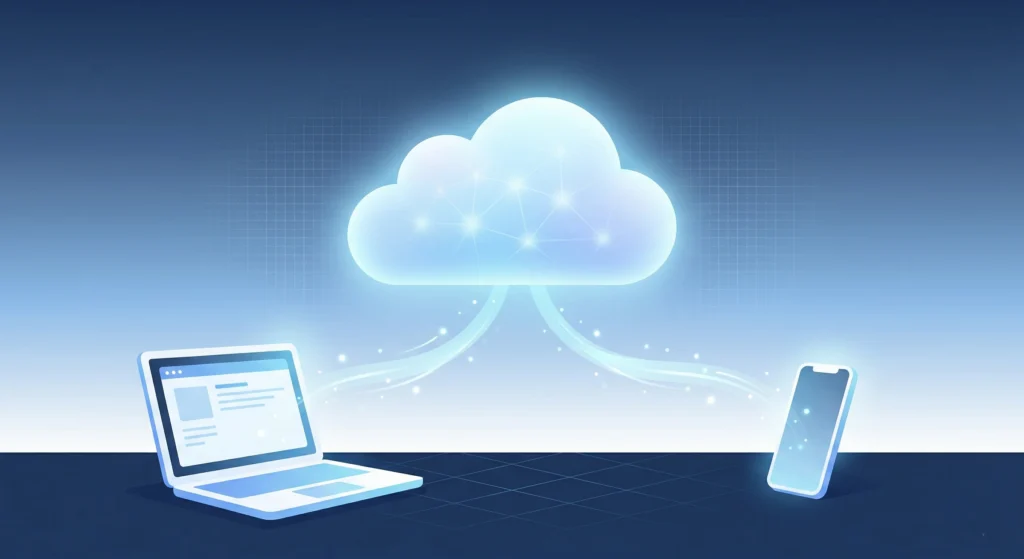
Think about the last time you watched a Netflix show, sent a WhatsApp message, or saved a photo on your phone. None of that lived on your device. It lived somewhere else — somewhere massive, somewhere powerful, somewhere most people never think about. That somewhere is the cloud.
Not too long ago, every business had to buy giant, expensive computer servers, lock them in a room, and hire teams just to keep them running. One crash, one power cut, and everything went down. It was stressful, costly, and honestly — a bit ridiculous. Then cloud computing arrived and flipped the whole model upside down. Instead of owning the machine, you just rent the power. Instead of building the well, you turn on the tap.
In 2026, cloud computing is not a trend anymore — it is the backbone of the entire internet. The global market has crossed $905 billion, and by 2034 it is expected to hit nearly $3 trillion. From the app on your phone to the website of your favourite store, almost everything runs on the cloud. And yet, most people have never stopped to ask: what actually is this thing? How does it work? And should I care?
The answer to that last question is a loud yes. Because understanding the cloud means understanding the world you already live in — and this guide is going to break it all down in the simplest, most human way possible. No jargon. No confusion. Just clarity.
So what exactly is cloud computing?
At its simplest, cloud computing means using someone else’s computers — over the internet — to store your data, run your software, or power your applications. Those “someone else’s computers” are actually massive warehouses called data centers, filled with thousands of servers, located all around the world. When you upload a photo, stream a song, or open a Google Doc, a request zips across the internet to one of these centers and comes back to you in milliseconds. The magic is real — it is just happening very, very far away.
Who runs the cloud? Meet the Big Three.
Amazon Web Services
The oldest and largest. Powers a huge chunk of the internet you use every day.
Microsoft Azure
The corporate favourite. Plugs perfectly into Windows and business tools companies already use.
Google Cloud
The smart one. Built for AI, data analytics, and machine learning at massive scale.
The pizza theory of cloud services
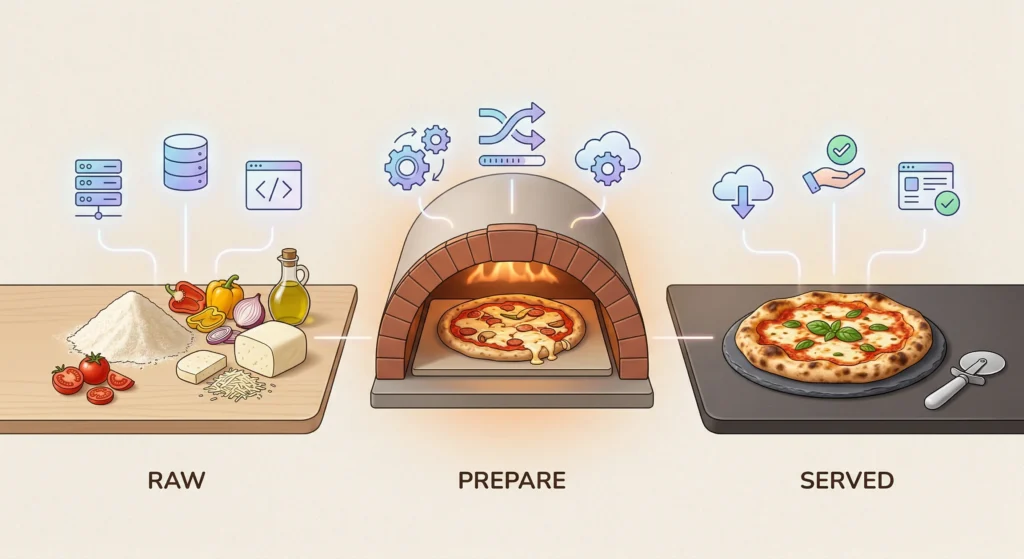
Cloud services come in three flavours, and the easiest way to understand them is to think about ordering a pizza. With IaaS (Infrastructure as a Service), you buy the raw ingredients and cook it yourself — you rent the servers and handle everything else. With PaaS (Platform as a Service), the kitchen is ready, the oven is hot, you just bring your recipe — developers write code without worrying about the hardware underneath. And with SaaS (Software as a Service), you walk into a restaurant and the pizza is already on the table — apps like Gmail, Slack, and Dropbox are fully built and ready to use. You do not touch anything under the hood.
Is my data safe up there?
This is the question everyone whispers. The answer is yes — and often, your data is safer in the cloud than on your own laptop. The Big Three invest billions into security every year. They encrypt your data so thoroughly that even if someone stole it, they would see nothing but gibberish. That said, 54% of cloud data in 2026 is classified as highly sensitive, which is exactly why providers are now using AI-driven security systems that detect threats faster than any human team could.
What is coming next — Edge Computing
The cloud is already fast. But the next evolution — Edge Computing — makes it even faster by processing data closer to where you are, instead of bouncing it to a data center halfway across the world. Think of a self-driving car that cannot afford even a split-second delay. Edge computing handles that decision right inside the car or at the nearest cell tower. It is the cloud, but smarter and closer.
Conclusion
Cloud computing is simply renting computer power, storage, and software over the internet — instead of buying it all yourself. It is why you can stream, collaborate, and work from anywhere. It is why startups can launch overnight without buying a single server. It is why your photos survive even when your phone breaks. The cloud is not some distant tech concept — it is already woven into your daily life, quietly doing the heavy lifting so you don't have to. And as AI and smart devices keep growing, it will only become more essential. You were already using it. Now you know exactly what it is.
At 2:00 AM on a Tuesday, the dashboards inside Mercor’s security operations center didn’t flash red; they simply hummed a quiet lie. The elite AI startup, backed by heavyweights like Felicis Ventures, was busy training next-generation models on vast troves of proprietary data. But deep within their server architecture, an unprecedented AI supply chain attack was already underway. A tiny, invisible string of malicious code had bypassed the alarms, quietly siphoning API keys and scraping the company’s most sensitive algorithms.
For years, North Korea cyber operations were synonymous with brazen cryptocurrency heists, funding a rogue state through billion-dollar digital bank robberies. But the target matrix has shifted. As Silicon Valley pours trillions into large language models, Pyongyang’s elite hacker units have pivoted from stealing digital coins to stealing the future. They are targeting the fragile foundational layers where modern technology is built, recognizing that source code and production environments are the new global currencies.
This quiet breach wasn’t a brute-force door kick—it was a masterclass in exploiting an open source software vulnerability. By poisoning a widely used dependency called Axios, state-sponsored cybercrime actors infiltrated the LiteLLM framework, a critical router connecting developers to models from OpenAI and Anthropic. The incident has exposed a terrifying blind spot in AI infrastructure security, proving that the development tools meant to accelerate innovation are now the exact vectors being weaponized against it.
The Poisoned Dependency
The mechanics of the breach were devastatingly simple. The attackers didn’t assault Mercor’s perimeter directly; instead, they poisoned the water supply. By hijacking the maintainer accounts of Axios—an essential npm package downloaded tens of millions of times a week—they successfully embedded highly obfuscated credential harvesting malware deep within the code.
This wasn’t an isolated hit. The malware was designed to bridge disparate development environments, seamlessly hopping from Node.js infrastructures into the Python-heavy AI stacks managed via PyPI. When Mercor’s engineering team ran routine automated updates, the compromised package slipped silently into their CI/CD pipeline.
Traditional defense mechanisms failed entirely. Standard software composition analysis tools, including the widely deployed Trivy, scanned the new dependencies but saw only a trusted, cryptographically verified update. Once inside the perimeter, the payload unpacked itself into a sophisticated cross-platform RAT (Remote Access Trojan).
From PyPI to Production
The Trojan immediately began hunting for environment variables, executing stealth data exfiltration back to command-and-control servers. The operational security displayed by the attackers was meticulous. This was a far cry from the noisy, chaotic, smash-and-grab breaches orchestrated by extortion groups like Lapsus$ or TeamPCP. This operation was surgical, patient, and completely invisible to standard telemetry.
The true scale of the disaster only became clear during the forensic teardown weeks later. Security analysts from Snyk and Wiz Research collaborated to trace the digital footprints left in the wake of the LiteLLM security breach. Their joint investigation revealed a chilling reality: North Korean hackers AI strategies now involve mapping the entire open-source dependency tree used by Western tech firms to find the weakest links.
Wiz Research and Snyk identified that the Axios compromise wasn’t just a data grab. It was a strategic foothold designed to intercept, modify, and clone the routing requests meant for proprietary language models, effectively stealing the cognitive architecture of the target company.
“We are building the most powerful technologies in human history on a foundation of digital quicksand. When a single compromised npm package can grant a nation-state root access to our AI infrastructure, we don’t have a perimeter problem—we have an ecosystem crisis.” — Lead Threat Intelligence Researcher
The New Reality of Code
The Mercor incident shatters the illusion that building cutting-edge artificial intelligence is purely a race against commercial rivals. It is a stark warning that every line of borrowed code is a loaded gun pointing directly at a company’s intellectual property. In this new era of technological warfare, blind trust in the open-source community is no longer just a naive liability; it is an existential threat that could hand the keys of the AI revolution over to a hostile state.
Let me ask you something uncomfortable. What if the job you’re working so hard to keep — the one paying your rent, your kids’ school fees, your weekend plans — doesn’t exist in five years?
Not because you got fired. Not because you weren’t good enough. But because a machine quietly learned to do it better, faster, and for almost nothing. I know that sounds dramatic. But here’s the thing — it’s already happening. Right now. Not in some distant future boardroom conversation. In real offices, real warehouses, real call centers, around the world. And most people haven’t fully registered it yet because the change is happening gradually… and then all at once.
This isn’t a doom article. I’m not here to scare you into clicking something. I’m here because I think you deserve a straight, honest conversation about what AI is actually doing to jobs — who’s losing, who’s winning, and most importantly, what a real person sitting where you are can actually do about it before 2030 arrives. So grab a coffee. Let’s dig into this together.
Wait — Is This Actually Real, or Just Tech Hype?
Look, I get the skepticism. We’ve been hearing “robots will take our jobs” since the 1960s and somehow everyone still has a job, right? Fair point.
But this time is genuinely different. And here’s why.
Previous automation — factories, computers, assembly lines — was good at replacing physical, repetitive tasks. It couldn’t write, reason, design, analyze, or communicate. AI can do all of that now. And it’s getting better every single month.
IBM announced in 2023 that it was pausing hiring for around 7,800 positions that AI could handle. Goldman Sachs published research saying AI could automate tasks equivalent to 300 million full-time jobs globally. These aren’t bloggers guessing. These are trillion-dollar institutions telling you, plainly, what’s coming.
And the speed? That’s what’s different this time. The industrial revolution gave us decades to adjust. AI is moving in years. Sometimes months.
Have you ever noticed how your bank app can now answer questions that used to require calling a human? Or how your company started using software that automatically generates reports that someone used to spend hours making? That’s not the future. That already happened. We’re just not calling it what it is.
The Numbers — Let’s Just Be Honest About Them
I’m not going to sugarcoat the data here because I think you can handle it.
The World Economic Forum says AI will displace 85 million jobs by 2025 — a number being revised upward for 2030. McKinsey estimates between 400 million and 800 million workers globally may need to completely change their career category by 2030. Oxford University research put 47% of US jobs at high risk of automation within this decade.
But here’s the part people skip when they share those scary stats. The World Economic Forum also projects AI will create 97 million new jobs. So it’s not pure destruction. It’s a massive reshuffling.
The brutal truth though? The jobs being destroyed are the ones millions of ordinary, hardworking people currently rely on. The jobs being created largely require technical education, digital skills, and adaptability. That gap — between who loses and who gains — is the real crisis nobody is talking about loudly enough.
Jobs That Are Genuinely Going Away
Customer Service Reps
We’ve all been there, right? On hold for 45 minutes, finally talking to someone who sounds exhausted, reading from a script. Well, that job is being replaced — fast.
AI chatbots now handle 60 to 80 percent of customer interactions at major companies. And honestly? They’re getting pretty good at it. Bank of America’s AI assistant Erica handles tens of millions of customer requests every month. Apple, telecoms, insurance companies — all moving in the same direction.
The entry-level customer service job as most people know it today? It’s mostly gone by 2030.
Data Entry and Admin Clerks
If your job is moving information from one place to another — filling spreadsheets, processing invoices, updating records — AI can already do it faster and with fewer errors than you can. I’m not being mean. It’s just the reality. Robotic Process Automation combined with AI is quietly eliminating entire administrative departments.
Bank Tellers
JPMorgan has an AI called COiN that reviews commercial loan agreements in seconds. Work that previously took lawyers and clerks 360,000 hours per year. When I first read that number I had to re-read it. 360,000 hours. Done by an AI in seconds.
Physical banking roles are shrinking every year. By 2030 they’ll be a fraction of what they are today.
Truck Drivers
This one hits hard because there are 3.5 million truck drivers in the US alone. Waymo, Tesla, and TuSimple are testing self-driving trucks on real highways right now. When autonomous trucking reaches commercial scale — and most analysts say it will before 2030 — the impact on working families will be enormous.
Paralegals and Legal Assistants
AI tools like Harvey AI can review thousands of legal documents, draft contracts, and research case law in minutes. Work that junior lawyers and paralegals spent years learning to do. Big law firms are already reducing junior hiring because of it. Legal research as a standalone career is under serious pressure.
Retail Cashiers
Amazon Go stores operate with zero cashiers. You walk in, grab what you want, and walk out. The AI tracks everything and charges your account automatically. Walmart and Kroger are rolling out similar systems. The retail cashier — one of the most common entry-level jobs in the world — is being systematically replaced.
Jobs That Are Actually Safe
But let’s not be completely grim here. Some jobs are genuinely resistant to AI — and for good reason.
Mental health professionals — People don’t want to talk about their trauma with a chatbot. They want a real human who gets it. Demand for therapists and counselors is actually rising, not falling.
Skilled tradespeople — Your plumber, electrician, carpenter. They work in unpredictable physical environments that robots still genuinely struggle with. A plumber crawling under a house to fix a burst pipe in a weird layout needs human judgment that no AI robot can reliably replicate yet.
Real creative professionals — Not content farms pumping out generic articles. But genuinely original thinkers — product designers, creative directors, innovative storytellers. AI can assist creativity. It can’t replace the human experience that makes creativity meaningful.
AI specialists themselves — Here’s the irony. One of the fastest-growing job categories is literally working with AI. Building it, training it, auditing it, managing it. The people who understand AI best are the ones with the most job security.
Industries Already Being Transformed
Healthcare
DeepMind’s AI detects certain cancers in medical scans with accuracy matching trained radiologists. IBM Watson Health is being used in hospitals globally. The World Health Organization estimates AI could save healthcare systems $150 billion annually by 2026. AI isn’t replacing doctors — but it’s replacing large chunks of what junior diagnostic staff currently do.
Finance
Algorithmic trading, AI fraud detection, automated loan underwriting — all standard now at JPMorgan, BlackRock, Goldman Sachs. These institutions have invested billions in AI systems handling work that used to require large human teams. And they’re not hiring those human teams back.
Manufacturing
Factories of 2030 will look nothing like factories of 2020. AI robots now handle quality inspection, supply chain optimization, and predictive maintenance — identifying when machines will break before they actually do. The factory floor is becoming increasingly automated, increasingly efficient, and increasingly empty of human workers.
Education
Khan Academy already has an AI tutor that adapts to each student in real time. By 2030, how education is delivered will be fundamentally different. Teachers won’t disappear — but AI will handle a large portion of grading, lesson planning, and personalized content delivery.
So What Do You Actually Do?
Okay. This is the part I care most about. Because statistics without action are just anxiety fuel.
Start using AI tools now — today, not next year. The workers who thrive in 2030 won’t be the ones who avoided AI. They’ll be the ones who got comfortable with it early. It doesn’t matter what industry you’re in. Find the AI tools relevant to your field and start learning them. Familiarity with AI is becoming a baseline requirement like knowing how to use email was in 2005.
Build the skills AI genuinely can’t copy. Emotional intelligence. Complex problem solving. Leadership. The ability to walk into a room of stressed people and actually help them. These are deeply human skills that remain valuable and genuinely hard to automate. Invest in them deliberately.
Make learning a permanent habit — not a one-time event. The half-life of a professional skill is shrinking fast. What was valuable five years ago may already be outdated. Platforms like Coursera, LinkedIn Learning, and edX have AI and tech courses you can do alongside a full-time job. An hour a week is enough to start.
If your job is high-risk, start pivoting now — not later. Small career pivots made today are infinitely easier than desperate ones made in a crisis. A data entry clerk can move toward data analysis. A customer service agent can shift toward customer experience design. Adjacent moves are always easier than complete career restarts.
Invest in human relationships. In a world of increasing automation, your professional network becomes more valuable, not less. The ability to build trust, collaborate, lead, and negotiate is something AI genuinely cannot replicate. Your relationships are career insurance.
The Bigger Picture — This Is a Society Problem Too
Here’s something that doesn’t get said enough. This isn’t just an individual career problem. It’s a civilizational challenge.
Who owns the productivity gains when AI replaces workers — the corporations or the people? Should governments provide universal basic income as a safety net? How do schools completely restructure to prepare students for an AI economy? How do we stop AI from widening the gap between rich and poor even further?
Some governments are trying. The EU AI Act is the world’s first major AI regulation. Nordic countries are experimenting with AI retraining programs funded by tech companies. South Korea and Singapore have launched national AI literacy programs for their entire adult workforce.
But policy moves slowly. AI doesn’t. The gap between where technology is going and where social systems currently stand is wide and getting wider every year.
Frequently Asked Questions
Will AI really take ALL jobs by 2030? Not all — but significant chunks of almost every job. 85 million roles displaced, 97 million new ones created. The net result depends entirely on how fast people and systems adapt.
Which jobs are safest? Mental health professionals, skilled tradespeople, senior creative roles, complex surgeons, and AI specialists themselves are the most protected.
Is AI creating jobs faster than it’s destroying them? Right now — no. Displacement is outpacing creation, especially for middle-skill workers. The new jobs AI creates tend to require higher technical skills, which leaves a painful gap.
What skills should I build right now? AI tool proficiency, emotional intelligence, complex reasoning, creative problem solving, and leadership. These are the most consistently future-resistant skills across industries.
How much time do I realistically have? Less than most people think. Significant disruption is already happening in customer service, finance, and logistics. The smart window to adapt proactively is right now — 2025 to 2027.
Conclusion — And Here’s What I Really Want You to Hear
The real tragedy of this moment isn’t robots taking jobs — it’s the people who saw every warning sign, read articles just like this one, and still whispered “that won’t happen to me” while doing nothing. AI doesn’t care about your experience, loyalty, years of service, or struggles — it simply works faster, cheaper, and without hesitation. But here’s the hook most people miss: if you’re reading this right now, you still have a window of opportunity. The winners of 2030 won’t be the smartest or most educated — they’ll be the ones who faced this shift head‑on, got uncomfortable, and adapted. You don’t need to become a tech genius; you just need to become the kind of person who uses the tools of this era instead of being replaced by them. The door to the future is open today — but it won’t stay open forever. The best time to prepare was five years ago; the second best time is this very moment, before you close this tab and slip back into old habits.
Don’t close the tab. Make a move.
References (2024–2026)
World Economic Forum — Future of Jobs Report 2023 — weforum.orgMcKinsey Global Institute — Future of Work Report 2024 — mckinsey.comGoldman Sachs — AI and Global Employment Impact 2023 — goldmansachs.comOxford University — Future of Employment Automation Study (Updated 2024) — ox.ac.ukIBM — AI and the Future of Work 2024 — ibm.comJPMorgan Chase — COiN AI Legal Automation Platform 2024 — jpmorganchase.comGoogle DeepMind — AI Medical Imaging Diagnostics 2024 — deepmind.googleAmazon — AI Fulfillment and Go Store Technology 2024 — aboutamazon.comEuropean Union — EU AI Act 2024 — ec.europa.euWorld Health Organization — AI in Health 2024 — who.intLinkedIn — Jobs on the Rise: AI Skills Report 2024 — linkedin.comKhan Academy — AI Tutor Khanmigo Launch 2024 — khanacademy.orgMIT Technology Review — AI and the Future of Work 2024 — technologyreview.comHarvard Business Review — Preparing Your Career for AI 2024 — hbr.orgPew Research Center — AI and American Jobs 2024 — pewresearch.org
Imagine picking up your phone on a quiet Tuesday evening and hearing your frantic child screaming for ransom money, only to discover hours later that they were sitting perfectly safe in their college dorm room. This exact nightmare scenario is actively playing out across the globe at an unprecedented, terrifying scale right now. The grim reality of AI fraud 2026 is that our own technological advancements have been hijacked by organized syndicates to weaponize human trust against us.
The rapid weaponization of Artificial Intelligence means that invisible attackers no longer need specialized coding skills to launch devastating financial campaigns from the shadows. A sophisticated Deepfake video can now flawlessly mimic a Fortune 500 company executive demanding an emergency wire transfer in a matter of seconds. Voice Cloning takes this manipulation even further by allowing scammers to replicate the exact tone and emotional cadence of your loved ones. Meanwhile, hyper-targeted Phishing attacks are completely bypassing traditional corporate spam filters by using flawless grammar and deeply personalized psychological triggers.
This investigative report breaks down exactly how these synthetic AI scams operate, the massive financial toll they are actively taking on our global economy, and the invisible technological wars being fought to stop them. Understanding the mechanics behind these evolving threats is absolutely the best armor you can wear in a digital landscape deliberately designed to deceive your senses. Let us explore the dark origins of this crisis and examine exactly how cybercriminals managed to tip the scales of security so dramatically.
The Rise of AI Cybercrime — How We Got Here
The barrier to entry for digital extortion has completely collapsed over the last few years, transforming isolated basement attacks into an industrialized black market. Hackers used to spend months writing custom malware from scratch, but today they simply rent out automated attack software for the monthly price of a premium streaming subscription. Cybercrime is no longer a specialized skillset reserved for elite dark web operators, but rather a streamlined, plug-and-play business model accessible to anyone with malicious intent.
We originally designed Machine Learning algorithms to predict aggressive diseases and optimize global supply chains. However, global crime syndicates immediately retrained those exact same models to hunt for human vulnerabilities instead. These autonomous systems can instantly scrape thousands of public records to find out where you bank, who you are related to, and what specific fears might compel you to hand over your life savings.
“We essentially handed a loaded, automated weapon to every scammer on earth when we democratized generative models without installing mandatory safety guardrails first.” — Dr. Aris Thorne, Lead Threat Analyst at Global Cyber Defense
The criminal underground has systematically built an entirely new ecosystem where human deception is manufactured and scaled out at blinding machine speed. As these accessible attack vectors matured and became cheaper to operate, they naturally evolved to target the absolute weakest link in our security infrastructure. Attackers quickly realized that hacking a server is difficult, but manipulating a human being is incredibly easy.
Deepfake and Voice Cloning — The New Face of Identity Theft
The traditional concept of Identity Theft used to mean a stolen credit card number or a forged signature on a stolen check, but today it means the complete hijacking of your digital likeness. Scammers are now deploying hyper-realistic Deepfake technology to seamlessly bypass biometric facial recognition security measures at major international financial institutions. They can also stitch your face onto explicit materials for brutal digital extortion campaigns, leaving terrified victims feeling completely violated and entirely helpless.
Voice Cloning takes this psychological warfare a devastating step further by ruthlessly exploiting our biological instinct to immediately respond to the people we care about most. An experienced accountant at a mid-sized logistics firm recently transferred $2.5 million to an offshore account after receiving what sounded exactly like a frantic, authoritative phone call from his regional director. Even more heartbreaking are the thousands of elderly grandparents who regularly receive panicked calls from synthetic “grandchildren” crying from a jail cell, desperate for immediate digital bail money.
You might confidently think you could easily spot the difference, but the subtle conversational inflections, background ambient noises, and manufactured emotional urgency are engineered with terrifying precision. Criminals are actively scraping high-quality audio from old podcast interviews, public TikTok videos, and even compromised voicemail greetings to train their synthetic voice models. Once they possess just three seconds of your clear audio, they can make you say absolutely anything they want in real-time.
We are rapidly entering a terrifying era where seeing and hearing is no longer a reliable metric for believing anything at all. This total collapse of objective digital reality extends far beyond manipulated video and cloned audio files. It is now bleeding directly into the text-based corporate communications we implicitly rely on every single day.
AI-Powered Phishing — Why You Almost Can’t Tell the Difference Anymore
Forget the archaic days of poorly translated emails from imaginary foreign royalty promising you millions of dollars in exchange for a small processing fee. Today, modern AI scams generate dynamically personalized text that perfectly mirrors the exact corporate tone of your specific bank, complete with flawless formatting and perfectly spoofed sender addresses. These automated systems can spin up identical, fully functional fake websites in milliseconds, creating a seamless visual illusion that consistently tricks even seasoned IT professionals.
The high-octane fuel powering these hyper-targeted attacks is the staggering amount of personal information actively exposed during massive corporate Data Breach events. Algorithms autonomously sift through billions of stolen records on the dark web to seamlessly cross-reference your leaked passwords with your most recent online shopping habits. They then send out a perfectly timed SMS text alert about a delayed package from a store you actually just bought from, practically guaranteeing you will panic and click the malicious link.
“The era of spotting a digital scam through bad grammar and spelling mistakes is entirely over; the new malicious emails are often written significantly better than legitimate corporate communications.” — Sarah Jenkins, Director of Threat Intelligence at SecureNet
When a sudden text message contains your actual home address, your recent banking activity, and your mother’s maiden name, your brain naturally assumes the sender must be legitimate. This unprecedented level of personalized psychological deception has inevitably bypassed our natural skepticism. It has triggered a massive financial hemorrhage of truly catastrophic proportions across the entire global economy.
The $400 Billion Problem — What AI fraud 2026 Is Costing the World
The financial devastation currently sweeping across global markets has reached an absolute breaking point, paralyzing legacy institutions that once felt practically invincible against digital threats. The traditional banking sectors are bleeding massive amounts of capital as synthetic identities systematically drain automated loan programs. At the same time, critical healthcare networks face crippling, AI-driven ransomware attacks engineered by autonomous bots that never sleep and never stop probing for weak points.
E-commerce platforms are quietly losing billions to automated return fraud and fake vendor schemes that easily outpace the capacity of traditional human security reviews. The raw numbers paint a deeply grim picture of a digital economy that is entirely under siege by unseen, highly organized adversaries. Financial experts project the total global damage of AI fraud 2026 will effortlessly exceed a staggering $400 billion by the end of the fourth quarter.
This massive, unprecedented wealth transfer from legitimate local businesses to overseas criminal syndicates is actively driving up the cost of basic consumer goods and insurance premiums for everyone. Small business owners are being mercilessly forced to close their doors forever after a single synthetic business email compromise completely drains their operational accounts. The sheer scale of this ongoing financial drain requires a defensive technological response equally as sophisticated and relentless as the attacks themselves.
AI Fraud Detection — How Technology Is Fighting Back
The genuinely good news is that the very same computational power currently driving these attacks is now being fiercely mobilized to build an impenetrable digital defensive shield. Next-generation AI fraud detection platforms are actively analyzing invisible behavioral biometrics, constantly tracking exactly how fast you type and the specific angle at which you hold your smartphone. These silent guardian systems can instantly flag subtle human anomalies, successfully blocking fraudulent bank transactions before the criminal even has time to close their browser window.
Defensive Machine Learning models are currently ingesting trillions of global data points per second to accurately map out and systematically dismantle vast criminal networks. Advanced Cybersecurity frameworks no longer wait passively for a corporate breach to happen; they actively and aggressively hunt for synthetic footprints across the deepest corners of the dark web to stop AI cybercrime in its tracks. We are currently witnessing the exciting birth of autonomous defense systems that dynamically adapt to new scam tactics significantly faster than human analysts ever could.
“We are fighting aggressive algorithms with defensive algorithms now, and our protective neural networks are finally starting to aggressively outpace the criminal syndicates in sheer predictive accuracy.” — Marcus Vance, Chief Architect at Sentinel AI Systems
Major technology companies are also rapidly developing invisible cryptographic watermarks designed to definitively prove the absolute authenticity of legitimate corporate videos, audio files, and legal documents. While these massive enterprise-level defenses slowly rebuild the shattered walls of our financial system, they cannot protect you from everything. Your ultimate, day-to-day safety still depends heavily on your own personal digital habits and your willingness to adapt.
How to Protect Yourself From AI Scams in 2026
Establish a strict family safe word: Because modern synthetic voice cloning relies heavily on manufacturing sudden panic, you must immediately create a pre-arranged secret word that only your close family members know. If someone calls begging for emergency ransom or bail money, aggressively demand the safe word before taking any action.
Enforce multi-factor authentication (2FA) everywhere: Traditional strong passwords alone are effectively useless against modern credential-stuffing algorithms that can guess millions of combinations per second. You absolutely must enable hardware-based or authenticator app 2FA on every single financial, email, and social media account you own.
Always verify sudden financial requests offline: If your boss, colleague, or bank emails you with an urgent, out-of-the-blue request to transfer funds or buy gift cards, stop exactly what you are doing. Pick up your phone and call them directly using a verified, trusted number you already have securely saved in your contacts.
Scrutinize every unexpected website URL: Highly sophisticated AI-generated phishing texts often look visually perfect, but the actual destination URL usually contains a microscopic, easily missed typo. Never mindlessly tap a link from an unsolicited text message; manually type the official website address into your secure browser instead.
Avoid clicking any suspicious links entirely: Criminals use malicious links not just to steal passwords, but to silently download invisible tracking malware onto your personal devices. Treat every single unverified link as a loaded weapon, especially if it promises a massive discount or threatens immediate account suspension.
Set up active data breach monitoring: Automated attackers specifically weaponize your exposed internet history, so you must know exactly what personal information is already floating around in the wild. Sign up for reputable identity monitoring services to receive instant, critical alerts if your passwords or private documents hit the dark web.
Maintain deep skepticism of extreme offers: The absolute default setting for your digital life must be extreme, unwavering skepticism toward any unsolicited communication that triggers a strong emotional response. If an unexpected investment opportunity, grand prize, or legal threat sounds too good to be true, it is almost certainly one of the rampant AI scams 2026 has become infamous for.
Scrub your public audio and visual footprint: Synthetic criminals only need a few brief seconds of your clear voice or face to build a terrifyingly perfect digital clone. Consider immediately making your public social media profiles private and permanently deleting old videos where your voice is clearly audible to strangers.
Frequently Asked Questions
Regular Fraud relies entirely on human scammers manually calling victims or writing generic, easily spotted deceptive emails to steal money. Artificial intelligence fraud completely automates this malicious process using advanced neural networks to generate hyper-personalized, flawless deceptions at a massive global scale. This significant technological shift means the attacks are infinitely faster, highly targeted, and essentially impossible for the average person to distinguish from authentic human interaction.
Q2: How do deepfakes work and why are they dangerous?
Deepfakes utilize complex deep learning algorithms to intensely analyze hundreds of source images or audio clips of a specific, targeted person. The intelligent system then learns how to perfectly map that person’s facial expressions or vocal patterns onto a completely fabricated, highly deceptive digital file. They are incredibly dangerous because they effectively weaponize visual and auditory proof, tricking innocent victims into believing terrifying or legally compromising scenarios are entirely real.
Q3: Can AI fraud detection fully stop cybercrime?
Defensive technological software is improving at a truly staggering rate, successfully blocking billions of automated fraudulent attempts before they ever reach vulnerable consumers. However, stopping digital crime entirely is currently impossible because highly motivated attackers constantly invent brand new methodologies to bypass updated security perimeters. The absolute most effective defense will always be a layered combination of advanced enterprise software and highly educated, naturally skeptical human users.
Q4: How do I know if I am being targeted by an AI scam?
The absolute biggest red flag is any unsolicited digital message or phone call that attempts to create an intense, immediate sense of emotional urgency. If the communication suddenly demands absolute secrecy, asks for unusual payment methods like cryptocurrency, or refuses to let you hang up to verify their wild story, you are actively being targeted. Always force yourself to step back, take a breath, and independently verify the terrifying situation before letting manufactured panic dictate your actions.
Q5: What should I do immediately if I think I have been a victim of AI cybercrime?
You must immediately contact your primary bank or credit card provider to freeze all your financial accounts and instantly block any pending unauthorized digital transfers. Next, systematically change all your critical passwords from a completely different, secure device and strictly enable two-factor authentication across the board. Finally, file an official, detailed report with your local law enforcement and national cybercrime reporting center to establish a crucial paper trail for your eventual identity recovery.
Conclusion
The digital frontier has violently transformed into a high-stakes psychological battlefield where blind trust is undoubtedly your absolute greatest liability. We are actively building a resilient future where highly educated citizens are no longer easy prey, but rather an impenetrable human firewall standing shoulder-to-shoulder with advanced defensive algorithms. You possess the immense power to definitively dismantle these invisible threats simply by slowing down, actively questioning your digital reality, and flatly refusing to let manufactured panic control your financial actions. “Awareness is the absolute only shield that malicious code cannot crack,” so take these protective strategies today and aggressively share them with everyone you love. Surviving the relentless, terrifying onslaught of AI fraud 2026 is not about fearfully abandoning technology, but rather mastering the crucial art of digital skepticism. Never trust a voice in the dark.
You are staring at a spinning cursor while your deadline aggressively ticks closer. Have you ever wanted to launch your frozen computer straight out the nearest window? If you are frantically searching for how to speed up laptop performance right now, you are definitely not alone.
You are likely asking yourself, “why is my laptop so slow when it used to be lightning fast?” Here is the thing: your system naturally collects digital gunk. Background processes pile up, storage drives get cluttered, and vital system resources stretch dangerously thin over time.
The good news is you do not need an IT degree to turn things around today. Consider this guide your ultimate laptop running slow fix. We are going to reclaim your missing speed, boost your productivity, and save your sanity in just a few minutes.
12 Tricks to Revive Your Sluggish Machine
1. The True Power of a Hard Restart (How to Speed Up Laptop Basics) ⏱ 2 minutes
You hear this advice constantly, but we rarely explain why it works. When you leave your computer running for days, background applications leak memory. A proper restart flushes your RAM completely.
It forces the operating system to clear temporary caches and halt stuck background processes. Do not just close the lid; you need to fully shut down the system.
Select the Start menu or Apple menu, hit Restart, and let the machine breathe. You will immediately notice a crisper, more responsive desktop upon boot.
Pro Tip: Hold down the Shift key while clicking “Shut Down” on Windows to force a complete system reload, bypassing the “Fast Startup” cache.
2. Close Hidden System Tray Programs ⏱ 1 minute
Your screen might look clear, but dozens of apps are secretly running in the background. These programs quietly eat up your processing power and drain your battery.
Look at the bottom right corner of your Windows taskbar. Click the small upward-pointing arrow to reveal your hidden system tray icons.
Right-click any app you do not actively need right now, like gaming launchers or chat apps. Select “Quit” or “Exit” to immediately free up valuable memory.
Pro Tip: On a Mac, check the top-right menu bar. Command-click and quit utilities or cloud services you aren’t currently syncing.
3. Stop Startup Apps to Make Laptop Faster ⏱ 3 minutes
3. Stop Startup Apps to Make Laptop Faster ⏱ 3 minutes
Many programs arrogantly assume they deserve to launch the second you turn on your computer. This creates a massive traffic jam during boot-up. Stopping this bottleneck is the fastest way to make laptop faster.
In Windows, press Ctrl + Shift + Esc to open the Task Manager. Click the “Startup apps” tab on the left side. Right-click any non-essential program and select “Disable.”
Mac users can open System Settings, navigate to General, and click “Login Items.” Select an app from the list and click the minus (-) button to remove it.
Pro Tip: Never disable your antivirus or essential audio drivers. Only target apps like Spotify, Skype, or Adobe Creative Cloud.
QUICK WINS: The 3 Fastest Fixes
Short on time? Do these three things right now to see an immediate boost:
Reboot your system. (Clears fragmented memory).
Kill heavy browser tabs. (Frees up massive amounts of RAM).
Unplug unneeded USB devices. (Stops peripheral driver drain).
4. Ruthlessly Uninstall Bloatware ⏱ 5 minutes
Manufacturers often pre-load new laptops with trial software, casual games, and redundant utilities. We call this “bloatware,” and it actively slows down your system.
These programs run background updater tasks and consume precious hard drive space. Getting rid of them gives your processor less useless code to monitor.
Open Windows Settings, go to Apps, and select Installed Apps. Scroll through the list and click “Uninstall” on anything you never use.
Pro Tip: If you do not recognize a program named after your laptop manufacturer (like Dell SupportAssist or HP JumpStart), research it before deleting.
5. Run a Deep Disk Cleanup ⏱ 5 minutes
Your operating system generates thousands of temporary files just to function daily. Over months of use, these files pile up into gigabytes of useless junk.
Windows has a built-in tool that safely sweeps this trash away. Search for “Disk Cleanup” in the Start menu and run the application as an administrator.
Check the boxes for Temporary Internet Files, Delivery Optimization Files, and the Recycle Bin. Click OK to permanently delete these space-hogs.
⚠️ WARNING: > Be incredibly careful if you select the “Downloads” folder or “Previous Windows installations” (Windows.old) box. Doing so will permanently delete your downloaded files or remove your ability to roll back a recent Windows update. Only proceed if your data is safely backed up.
6. Disable Visual Effects (How to Speed Up Laptop Graphics) ⏱ 2 minutes
Modern operating systems look beautiful because of complex shadows, transparent menus, and smooth window animations. However, these visuals require constant graphical processing.
Turning these aesthetic features off redirects that processing power to the apps you actually care about. This is a game-changer for older machines.
In Windows, search for “View advanced system settings.” Under the Performance section, click Settings, and select “Adjust for best performance.”
Pro Tip: Mac users can achieve a similar boost. Go to System Settings > Accessibility > Display, and toggle on “Reduce motion” and “Reduce transparency.”
7. Update Your OS and Essential Drivers ⏱ 5 minutes
Ignoring those annoying update prompts is a surefire way to suffer from slow performance. Software engineers constantly release patches to fix bugs that consume excess memory.
Hardware drivers act as translators between your operating system and your physical laptop parts. Outdated drivers cause hardware to work inefficiently.
Check Windows Update or macOS Software Update immediately. Let the system download the latest patches and install them completely.
Pro Tip: Graphic card drivers update separately. Open your NVIDIA GeForce Experience or AMD Adrenalin software to pull the latest performance drivers.
8. Change Power Settings to High Performance ⏱ 1 minute
By default, your laptop wants to save battery life. It deliberately limits your processor speed to keep the machine running longer on a single charge.
If you are plugged into a wall outlet, you do not need this restriction. You want maximum power flowing to your CPU.
Go to Windows Settings > System > Power & battery. Change your power mode from “Balanced” or “Best power efficiency” to “Best performance.”
Pro Tip: Keep an eye on your laptop’s temperature. High performance mode generates more heat, so ensure your laptop rests on a hard, flat surface for proper ventilation.
9. Pause Aggressive Background Syncing ⏱ 1 minute
Cloud storage apps like OneDrive, Google Drive, and Dropbox are incredibly convenient. However, they constantly scan your hard drive for changes.
This endless scanning uses significant CPU cycles and network bandwidth. If you are trying to work on a heavy task, this background syncing creates terrible lag.
Right-click your cloud storage icon in the system tray. Select “Pause syncing” for a few hours while you focus on your demanding tasks.
Pro Tip: Configure your cloud apps to only sync specific, vital folders instead of mirroring your entire hard drive to the cloud.
10. Clear Browser Cache and Rogue Extensions ⏱ 3 minutes
Your web browser is likely the application you use most. It saves images and scripts from websites to load them faster next time.
Ironically, when this cache gets too massive, the browser struggles to search through it. Furthermore, hidden browser extensions secretly track your activity.
Open your browser settings and clear your cached images and files. Then, navigate to your extensions menu and ruthlessly remove anything you do not actively use.
Pro Tip: Try a memory-saving feature. Chrome and Edge now offer “Efficiency Mode” or “Memory Saver” tabs that put unused pages to sleep automatically.
11. Run a Targeted Malware Scan ⏱ 5 minutes
If you are still wondering, “why is my laptop so slow?”, a malicious program might be the culprit. Viruses and cryptominers hijack your system resources to make money for hackers.
You do not need to buy expensive third-party antivirus software. The built-in tools on modern operating systems are highly capable of finding threats.
Open Windows Security and select “Virus & threat protection.” Click “Scan options” and choose a “Full scan” to inspect every single file on your drive.
Pro Tip: If your machine is completely locked up by a suspected virus, run an “Offline Scan” through Windows Defender to catch stubborn malware before the OS boots.
12. Hunt Down Memory Leaks in Task Manager ⏱ 3 minutes
Sometimes a single, poorly coded application is responsible for your entire system dragging. Software bugs can cause an app to demand more and more RAM until the system crashes.
You need to identify exactly which program is being selfish. Task Manager and Activity Monitor are your best friends here.
Open Task Manager and click the “Memory” column header to sort apps by RAM usage. If you see a simple app using gigabytes of memory, select it and click “End task.”
Pro Tip: Web browsers are notorious memory hogs. If Chrome is at the top of your list, look for a specific tab playing auto-play video or heavy ads, and close it.
The Real-World Impact: Before vs After
Wondering how much time you actually save? Here is a realistic look at how these tweaks improve a typical three-year-old laptop’s performance:
Performance Metric
Before Tweaks
After Tweaks
Total Improvement
System Boot Time
2 minutes 15 seconds
45 seconds
66% Faster
Browser Launch
12 seconds
3 seconds
75% Faster
Available RAM
1.2 GB free
3.8 GB free
216% More Capacity
Battery Life
3 hours 10 mins
4 hours 30 mins
42% Longer Lasting
Your Fast Laptop is Waiting
You do not have to accept a sluggish, frustrating computing experience. By taking just a few minutes to apply this laptop running slow fix, you regain control over your hardware. Trust me on this one; a lightning-fast machine is completely achievable today, and you did not even need to pay a technician. Try one or two of these tweaks right now, bookmark this page for your next maintenance day, and get back to working at the speed of thought!
Frequently Asked Questions
Why is my laptop so slow all of a sudden?
Sudden speed drops usually point to a specific, immediate problem. A background Windows update might be downloading, a heavy antivirus scan could be running, or a single application just crashed and is hoarding memory. Check your Task Manager first to find the culprit.
Does RAM affect laptop speed?
Absolutely. Think of RAM as your laptop’s short-term memory or physical desk space. If you have too little RAM, your computer has to constantly swap data to the much slower hard drive. Adding more RAM is often the best physical upgrade to make laptop faster.
Can I speed up an old laptop?
Yes, you definitely can. While software tweaks help immensely, the ultimate fix for a laptop older than five years is a hardware upgrade. Swapping an old mechanical Hard Disk Drive (HDD) for a Solid State Drive (SSD) will completely transform your machine’s speed.
How often should I clean my laptop?
You should perform a digital cleanup (clearing cache, removing startup apps) about once a month. Physically, you should use compressed air to gently blow dust out of your laptop’s cooling vents every three to six months to prevent thermal throttling.
Are free PC cleaning tools better than paid ones?
Not usually. The built-in free tools in Windows and macOS (like Disk Cleanup and Storage Sense) are perfectly safe and effective. Paid PC cleaners often act like malware themselves, nagging you with pop-ups and draining system resources while doing nothing you couldn’t do manually for free.
Picture this: you are trying to switch between a heavy mobile game and your messaging app, but your phone completely freezes. Or maybe you just bought a new laptop, and you are staring at a spec sheet filled with confusing acronyms, wondering why 16GB of one thing costs less than 512GB of something else. We have all experienced this frustration. Buying or troubleshooting electronics often feels like you need to learn a completely new language just to get exactly what you want.
At the heart of this technical confusion are three key components that make your devices tick. First, we have your device’s temporary workspace, which is lightning-fast but forgets everything when the power goes off. Then, we have the permanent instructions built deeply into the device so it knows how to start up. Finally, there is the massive digital trunk space where you keep your personal photos, downloaded apps, and important documents for years.
If you want to stop feeling lost when tech terms get thrown around by salespeople or repair technicians, you are in the exact right place. In this guide, we will break down What is RAM and ROM in simple terms, explain the core RAM vs ROM difference, and clear up the overarching RAM vs ROM vs Storage difference. By the end of this read, you will understand exactly how these parts work together to power your favorite devices smoothly.
What is RAM and ROM?
To truly understand how your computer or smartphone operates, you first need to look at its memory systems. Memory is not just one single thing; it is divided into specific roles.
Understanding RAM (Random Access Memory)
RAM is your device’s short-term memory. It is a super-fast workspace where your computer places the data it is actively using right now. When you open a web browser, play a video game, or edit a text document, the processor loads that specific task into the RAM.
Because RAM is so incredibly fast, your processor can grab information from it instantly without any lag. However, RAM is “volatile.” This means it only holds onto information while the device has power. If your computer crashes or you turn it off, everything stored in the RAM is wiped completely clean. This is why you lose your unsaved work when the power suddenly goes out.
Understanding ROM (Read-Only Memory)
ROM is your device’s permanent memory. Unlike RAM, the data stored inside ROM is not meant to be changed easily or frequently by the user. It contains the essential, foundational instructions that tell your device how to operate.
Think of ROM as the basic instincts of your computer. When you press the power button, the processor looks at the ROM to figure out how to wake up the screen, check the keyboard, and start loading your operating system. ROM is “non-volatile,” meaning it keeps its data safely stored even when the device is completely powered down and unplugged.
RAM vs ROM Difference
Comparing these two types of memory helps paint a clearer picture of why your device needs both to function. Below is a simple table that breaks down the main distinctions.
Feature
RAM (Random Access Memory)
ROM (Read-Only Memory)
Data Retention
Volatile (loses data when powered off)
Non-volatile (keeps data without power)
Speed
Extremely fast
Slower compared to RAM
Primary Function
Holds active apps and current tasks
Holds startup instructions (firmware)
Capacity
Usually higher (e.g., 8GB to 32GB)
Usually very low (e.g., 4MB to 8MB)
User Access
Easily read and written by the user
Mostly read-only, hard to modify
Physical Appearance
Long, thin rectangular sticks
Small chips soldered to the motherboard
The main RAM vs ROM difference comes down to flexibility versus permanence. RAM is a highly flexible, constantly changing environment. Data moves in and out of it thousands of times a second as you switch between apps. ROM, on the other hand, is stubborn and fixed. It is designed to safely guard the core startup codes so that no matter what happens to your active files, the computer always remembers how to turn itself on.
When people experience a slow computer, the RAM vs ROM difference is often the key to fixing it. Upgrading your RAM gives you more active workspace, making the computer faster. You almost never upgrade or worry about your ROM unless you are doing deep, technical motherboard updates.
Types of RAM and ROM
Not all memory chips are manufactured the same way. Over the years, technology has evolved, giving us different variations of memory to suit different tasks. Understanding the Types of RAM and ROM can help you make better hardware choices.
Types of RAM
There are two main categories of RAM that work inside your devices:
SRAM (Static RAM): This is the fastest type of RAM available, but it is also the most expensive to manufacture. Because of the high cost, it is usually used in very small amounts directly inside the computer’s processor (often called CPU cache). It holds the absolute most critical data the processor needs right this second.
DRAM (Dynamic RAM): This is the standard RAM you buy for a computer. It is cheaper to make and can hold much more data than SRAM. However, it needs to be constantly refreshed with electrical pulses to keep its data alive. When you see a laptop advertised with “16GB of DDR4 Memory,” they are talking about DRAM.
Types of ROM
ROM has also evolved significantly from the early days of computing. Here are the primary variations:
PROM (Programmable ROM): This chip is manufactured completely blank. A programmer writes data to it once using special equipment. Once the data is written, it is locked forever and cannot be changed or erased.
EPROM (Erasable Programmable ROM): This type of chip improved upon PROM because it can actually be erased and rewritten. However, to erase it, the chip has to be removed from the computer and exposed to strong ultraviolet (UV) light for several minutes.
EEPROM (Electrically Erasable Programmable ROM): This is the modern standard used in almost all devices today. It can be erased and rewritten electronically without removing it from the motherboard. When your computer downloads a “BIOS update” or “Firmware update,” it is writing new data to the EEPROM.
RAM vs ROM vs Storage Difference
Now that we understand memory, we have to tackle the biggest source of confusion for most consumers: storage. You will often see tech specs talking about a 16GB phone vs a 128GB phone. That larger number is your storage.
To clearly understand the RAM vs ROM vs Storage difference, imagine you are working in an office.
Storage is your massive filing cabinet. This is where you keep all your documents, photos, videos, and downloaded applications. It holds a massive amount of stuff, and it keeps everything safe even when you leave the office and turn off the lights (non-volatile). Common examples include Hard Disk Drives (HDDs) and Solid State Drives (SSDs).
RAM is your physical desk surface. When you need to work on a specific file, you take it out of the filing cabinet and put it on your desk. Your desk is small, but everything on it is within arm’s reach for immediate use. If your desk is too small (low RAM), you can only work on one or two files at a time. If you have a huge desk (high RAM), you can have ten files spread out at once without slowing down. But at the end of the day, the desk gets wiped clean.
ROM is the instruction manual for the office. It sits in a locked glass box on the wall. You cannot easily change the words in the manual. It simply tells the security guard how to unlock the front doors, turn on the lights, and start the day.
Many smartphone manufacturers confuse buyers by using the word “ROM” to describe internal storage. If an advertisement says a phone has “256GB ROM,” they are actually talking about flash storage, not true Read-Only Memory. True ROM is very small and strictly used for system startup.
Which one is more important?
A common question is whether RAM, ROM, or Storage is the most vital component. The truth is that they are all equally important because they operate as a unified team. Your device physically cannot function if any one of these three pieces is missing.
However, from a user-experience perspective, RAM and Storage are the ones you need to care about most when spending money.
If your goal is to store thousands of high-resolution photos, download heavy software, or keep an entire library of movies on your laptop, you need to prioritize Storage. A larger SSD means you will not have to constantly delete old files to make room for new ones.
If your goal is performance, you need to prioritize RAM. If you like to have thirty web browser tabs open while streaming music and editing a video, you need a large amount of RAM. Without enough RAM, your computer will try to use your slower Storage drive as a temporary workspace, which causes severe lagging, freezing, and stuttering.
ROM simply exists in the background doing its job. You will never need to go to a store and ask for “more ROM” to make your computer faster.
Real-life examples and use cases
To fully grasp the RAM vs ROM difference and how storage plays its part, let us walk through a few common daily scenarios.
Scenario 1: Starting Up Your Laptop
You press the power button on your laptop. First, the ROM activates. It sends a tiny, hardcoded sequence of instructions to check if the battery, keyboard, and screen are working. Once the ROM confirms the hardware is safe, it looks at your Storage drive to find Windows or macOS. The operating system is then lifted out of Storage and loaded into the RAM. Once it is in the RAM, your screen lights up, and your desktop appears ready for use.
Scenario 2: Playing a Heavy Mobile Game
You tap the icon for a large, graphically intense mobile game. Your phone reads the game files sitting permanently in your Storage. Because playing directly from storage would be incredibly laggy, the phone copies the current level’s graphics and sounds into the RAM. As you play, the game runs buttery smooth because the processor is rapidly reading the RAM. When you close the game, those files are cleared out of the RAM, freeing up the “desk space” for the next app you open.
Scenario 3: Taking a Photograph
You open your camera app (loading it into RAM). You point the camera and snap a picture of a beautiful sunset. In the split second after you press the button, the image is held temporarily in the RAM. When you click “save,” the phone writes that image file permanently to your Storage drive. Now, even if your phone battery completely dies, the photo is safe in the storage vault.
Frequently Asked Questions (FAQs)
Does adding more RAM increase my storage space?
No, RAM and storage serve entirely different purposes. Adding more RAM increases your device’s ability to multitask and run heavy programs smoothly. It does not give you more room to save photos, videos, or files. You need a larger SSD or hard drive to increase your physical storage limits.
Can I upgrade my ROM?
Physically, no. The ROM chip is heavily integrated or soldered onto your device’s motherboard. However, you can update the software written on an EEPROM chip through a process called “flashing the BIOS” or updating your firmware. This is usually only done to fix major bugs or support newly released hardware.
Why do smartphone companies say “128GB ROM” when it is actually storage?
This is an old marketing habit that has stuck around. Early smartphones used a type of flash memory that evolved from ROM technology to store the operating system and user files. Over time, marketers kept using the term “ROM” to differentiate internal storage from removable SD cards. Technically speaking, they are referring to non-volatile flash storage, not traditional Read-Only Memory.
Why does my phone say “Storage Full” when I am just trying to open an app?
Sometimes devices need a little bit of empty storage space to act as an “overflow” area when your RAM gets completely full. If your storage is 100% full, the RAM has nowhere to offload temporary files, causing the phone to freeze up and display error messages. Clearing out some old videos usually fixes this.
Will I lose my files if my RAM gets full?
No, your files are completely safe. If your RAM gets full, your device will simply slow down significantly as it tries to juggle the active tasks. Your actual saved files (like word documents and pictures) are securely locked away in your storage drive, completely unaffected by how full your RAM is.
Conclusion
You now have a solid grasp of how memory and storage work behind the scenes to keep your electronics running smoothly. We covered the distinct jobs of your temporary active workspace, the permanent instructions that wake up your hardware, and the massive vaults where your digital life lives. The next time you shop for a new smartphone or troubleshoot a lagging computer, you will know exactly what those technical specifications mean. You are officially equipped to make smarter tech choices and understand your devices better than the average user.
Thinking about career changes or building the next big app is exciting, but staring at a blank screen can feel utterly terrifying. The landscape of technology has shifted massively in recent years, making tech skills more valuable than ever before. Figuring out how to start coding for beginners often feels like trying to read a foreign language while blindfolded.
This guide is designed to cut through the noise and give you a straightforward path to writing your first lines of code. We are skipping the confusing jargon and avoiding those overwhelming textbook explanations that leave you scratching your head. You will find exactly what languages to learn, a realistic timeline, and the precise steps to launch your new journey.
Anyone with enough curiosity and patience can master these skills, regardless of their math background or current job title. All it takes is a willingness to make mistakes and learn from them step by step. Let us dive into the reasons why picking up these skills right now is the absolute best decision you can make for your future.
Why Learning to Code in 2026 Is the Smartest Move You Can Make
Tech jobs are no longer just for people working at massive companies in Silicon Valley. Every business, from your local bakery to global banks, desperately needs people who understand software and digital tools. Writing code gives you the superpower to solve real-world problems and build things completely from scratch. Creating value out of thin air is a skill that will never go out of style.
Artificial intelligence is changing the game, but it is actually making things easier for newcomers instead of taking their jobs. Having AI assistants means you can learn faster, fix errors instantly, and build projects that used to take teams of experts. Understanding how these systems work behind the scenes puts you in the driver’s seat of the future economy. Those who embrace these changes will find endless opportunities for remote work and true financial freedom.
Looking up coding tips for beginners often reveals just how flexible and rewarding a career in tech can be. You do not need an expensive computer science degree to get your foot in the door anymore. Many top companies now care far more about your actual skills and projects than your formal education. Taking that first step today sets you up for a lifetime of continuous learning and earning potential.
Figuring out the best place to begin is usually the hardest part, especially with so many options available.
What Programming Language Should I Learn First?
Choosing your first programming language is like picking your first vehicle—you want something reliable, easy to steer, and widely used. There are dozens of options out there, but two clear winners stand out for absolute beginners in 2026. Python and JavaScript are the absolute best starting points because they are powerful yet remarkably easy to read. Let us break down both options so you can pick the one that perfectly matches your goals.
Python reads almost entirely like plain English, making it incredibly gentle for newcomers trying to understand basic logic. Data science, artificial intelligence, and building the backend of websites all rely heavily on this versatile language. Learning Python lets you focus on core programming concepts without getting bogged down by complicated syntax rules. This language is highly recommended if you want to analyze data, build AI tools, or automate boring daily tasks.
JavaScript is the undisputed king of the web and the secret behind every interactive website you visit daily. Choosing this path allows you to see your visual results immediately, which is incredibly motivating when you are just starting out. You can build mobile apps, web games, and interactive platforms just by mastering this single language. Anyone dreaming of designing beautiful user interfaces or building full websites should definitely start their journey right here.
Quick Comparison Tip Box:
Choose Python if: You love data, want to explore AI, or prefer writing logic that looks exactly like plain English.
Choose JavaScript if: You want to build interactive websites, see visual changes instantly, or design stunning user interfaces.
Once you pick a language, you are probably wondering what the actual timeline looks like to reach a comfortable skill level.
How Long Does It Take to Learn Programming?
Everyone learns at their own pace, so you should never compare your chapter one to someone else’s chapter twenty. Mastering a new skill takes consistent effort, but hitting exciting milestones happens much faster than most people think. Setting realistic expectations prevents burnout and keeps you motivated when the material gets a little challenging. Here is an honest, practical timeline of what your amazing journey might look like.
Week one is all about getting comfortable with the basics like variables, loops, and understanding how computers actually think. Reaching the end of month one usually means you can build tiny, text-based games or simple web calculators without much help. Everything will still feel a bit confusing at this stage, but the pieces of the puzzle will slowly start connecting. Celebrating these small wins is crucial for maintaining your momentum.
Hitting the three-month mark is when the magic really starts happening for most dedicated learners. Reading other people’s code becomes much easier, and you will start piecing together larger projects with real confidence. You might even build your first interactive webpage or a program that actually solves a personal problem for you. Consistency starts paying off dramatically as concepts that once felt impossible become complete second nature.
Six months of steady practice is usually enough time to build a solid portfolio of basic projects. Many self-taught developers start applying for internships or junior roles around this milestone if they have been studying intensely. Learning never truly stops in technology, so consider this the point where you are finally fluent enough to read the dictionary.
Knowing the timeline helps, but having a clear map guarantees you actually reach your destination without getting totally lost.
How to start coding for beginners — Your Step by Step Roadmap
Having a clear plan is the difference between giving up after two days and successfully launching a new career. The internet is packed with overwhelming amounts of information, so following a structured path is absolutely vital. This specific roadmap has helped thousands of people transition from complete novices to confident developers. Let us walk through the exact steps you need to take.
Pick One Goal and Stick to It. Jumping between different languages and tutorials is the fastest way to learn absolutely nothing. Decide if you want to build websites, analyze data, or make mobile apps before you write a single line of text. Focusing on one single direction keeps your mind clear and your progress remarkably steady.
Start with a Free Interactive Platform. Spending money on expensive bootcamps right away is entirely unnecessary when incredible free resources exist. Websites like freeCodeCamp and Codecademy offer interactive lessons where you type directly into your browser window. Getting your hands dirty immediately builds confidence much faster than passively watching long video lectures.
Follow a Comprehensive Curriculum. Piecing together random YouTube videos often leaves massive gaps in your foundational knowledge. The Odin Project is a fantastic free resource that gives you a complete, structured path from zero to full-stack web developer. Another incredible option is CS50, Harvard’s free introductory computer science course, which teaches you how to think like a true programmer.
Practice Daily, Even for Just 20 Minutes. Consistency will always beat intensity when it comes to rewiring your brain for complex problem-solving. Coding for twenty minutes every single day builds stronger habits than cramming for five hours on a Sunday afternoon. Treating this time like a non-negotiable daily appointment guarantees you will see steady, noticeable improvement.
Build Small, Ugly Projects. Following tutorials perfectly is comforting, but building things completely on your own is where real growth happens. Create a simple to-do list, a digital clock, or a random quote generator without looking at a single guide. The project does not need to look pretty; it just needs to work and be entirely yours.
Learn How to Search for Answers. Every professional developer uses Google constantly to solve problems and remember specific syntax rules. Mastering the art of searching for exactly what is broken will save you hundreds of hours of frustration. Reading error messages carefully and pasting them into search engines is a fundamental skill you must develop early.
Join a Beginner Community. Trying to figure out how to start coding for beginners completely alone can feel incredibly isolating. Finding a Discord server or a Reddit community full of other learners provides emotional support and technical help. Asking questions when you are stuck is expected and highly encouraged in the friendly tech world.
Even with the best roadmap, hitting a few speed bumps along the way is totally normal and expected.
Common Mistakes Beginner Programmers Make (And How to Avoid Them)
Stumbling blocks are a completely normal part of mastering any complex new skill. Recognizing these traps early on saves you from massive headaches and keeps your motivation levels incredibly high. The good news is that almost everyone falls into these exact same patterns during their first few months. Here are the biggest pitfalls to watch out for as you begin your exciting journey.
Falling into “Tutorial Hell.” Watching endless tutorial videos without ever building something on your own creates a false sense of security. Breaking free requires closing the video and attempting to write the logic completely from memory. Getting stuck is exactly how your brain forms the necessary connections to remember the material long-term.
Trying to Memorize Everything. Programming is an open-book test, so treating it like a vocabulary exam is a massive waste of energy. Professionals look up syntax, formulas, and standard solutions multiple times a day. Focus entirely on understanding the underlying concepts instead of memorizing the exact spelling of specific commands.
Ignoring the Error Messages. Seeing a giant block of red text on your screen usually triggers an immediate panic response in absolute beginners. Those red lines are actually friendly clues pointing you directly toward the exact solution to your problem. Taking a deep breath and reading the error message slowly will often tell you exactly which line is broken.
Quitting at the First Major Blockade. Hitting a wall where absolutely nothing makes sense is a universal experience for every single developer. Frustration is merely a sign that your brain is actively stretching and forming brand new neural pathways. Stepping away for a quick walk or getting a good night’s sleep usually solves the problem faster than staring at the screen.
Comparing Yourself to Professionals. Looking at complex apps built by senior engineers can make your own beginner projects feel completely worthless. Everyone starts out writing messy, clunky programs that barely function properly at first. Celebrate your own amazing progress and remember that even the best experts were once totally confused beginners.
Avoiding these common mistakes is a great start, but applying a few smart strategies will truly turbocharge your progress.
Coding Tips for Beginners That Actually Work
Working smarter is always better than just working harder when you are tackling a steep learning curve. The tech industry moves quickly, and adapting modern strategies gives you a massive advantage over traditional learning methods. Small adjustments to your daily routine can dramatically decrease your overall frustration levels. Try implementing these highly effective tactics into your study schedule starting today.
Use AI Tools as Your Personal Tutor. Tools like ChatGPT and Claude are absolute game-changers for anyone learning technical skills in 2026. Pasting your broken code into an AI and asking it to explain the error in simple terms saves hours of endless searching. Just make sure you ask the AI to teach you the concept, rather than simply copying and pasting the solution blindly.
Break Large Problems into Tiny Steps. Looking at a massive project requirement all at once is a guaranteed recipe for immediate anxiety. Breaking the project down into microscopic tasks makes the entire process feel completely manageable. Writing out these tiny steps in plain English before writing actual code is an incredible superpower.
Comment Your Work Generously. Leaving notes inside your files explaining what specific lines do helps reinforce your understanding of the tricky material. Your future self will be incredibly thankful for these notes when you review the project three weeks later. Explaining the logic in plain text forces you to truly understand the mechanics behind the commands.
Take Frequent Screen Breaks. Staring at a bright monitor for hours on end ruins your posture, strains your eyes, and clouds your thinking. Utilizing the Pomodoro technique, which involves studying for twenty-five minutes and resting for five, keeps your mind incredibly sharp. Some of the best problem-solving moments happen when you are simply washing dishes or grabbing a glass of water.
Teach What You Just Learned. Explaining a new concept to a friend, a rubber duck on your desk, or even an empty room solidifies the fresh knowledge. Teaching exposes the hidden gaps in your own understanding very quickly. Writing a short blog post about your daily lessons is another fantastic way to track your amazing progress.
People usually have a few lingering doubts before they finally take the plunge and write their very first script.
Frequently Asked Questions
Q1: Can I learn coding without a math or science degree?
Absolutely yes, you do not need an advanced math background to become a fantastic developer. Most day-to-day programming relies entirely on basic logic, problem-solving, and simple addition or subtraction. Unless you are building complex physics engines for video games, your creativity and persistence matter much more than your algebra skills. Anyone who enjoys solving puzzles will naturally thrive in this environment.
Q2: Is it too late to start coding at 25, 30 or 40?
Age is completely irrelevant when it comes to acquiring valuable technical skills. Companies desperately need mature professionals who bring strong communication and teamwork skills from their previous careers. Many incredible developers wrote their very first lines of logic in their thirties, forties, and even fifties. Your unique life experiences actually give you a massive advantage when designing products for real people.
Q3: How many hours a day should I practice coding?
Spending just one focused hour a day is far more effective than forcing yourself through massive weekend marathons. Consistency builds the necessary muscle memory and allows your brain to absorb the new information while you sleep. Finding a sustainable pace prevents burnout and keeps the learning process highly enjoyable. Even twenty minutes of review during your lunch break makes a huge difference over time.
Q4: Can I get a job after learning to code on my own?
The technology industry is incredibly unique because hiring managers value portfolios significantly more than college diplomas. Building real, functional projects proves to employers that you can actually do the job. Many self-taught developers land fantastic roles simply by showcasing their skills on platforms like GitHub and actively networking. Your dedication and ability to solve problems independently are your strongest selling points.
Final Thoughts on Your New Journey
Stepping into the world of technology opens up a universe where you have the power to build whatever you can imagine. Mastering these skills brings unmatched freedom, whether that means working from a beach, boosting your current salary, or finally launching that app idea you have been dreaming about for years. The initial confusion will eventually fade away, replaced by the incredible thrill of watching your own digital creations come to life. Your future self will be endlessly grateful that you took a deep breath, embraced the challenge, and figured out how to start coding for beginners today.
“The internet is forever” — and so is any personal information you leave unprotected on it. Protecting your digital privacy is no longer optional. It is a daily responsibility.
Why It Matters
Online privacy matters more than ever
Most people assume data breaches happen to other people. The reality is far less forgiving. Consider a regular professional who woke up to find his full name, email, and driver’s license circulating on the dark web. He hadn’t clicked anything suspicious. He simply hadn’t taken steps to protect himself — and that was enough.
Stories like this are no longer rare. The threat landscape in 2026 is more sophisticated than ever — with AI-powered scams, deepfake voice calls, and automated data harvesting making everyday users easier targets than at any point in history.
748K+
Identity theft reports in the US in just the first half of 2025 (FTC)
21%
Of people update their devices promptly — the rest run known vulnerabilities
10 habits
Is all it takes to stop the vast majority of everyday online threats
1. Use strong, unique passwords — and a manager to handle them
Weak and reused passwords remain the single most common entry point for hackers. The most widely used passwords are still “123456” and “password” — the first combinations automated bots attempt. If you reuse passwords across accounts, a single breach anywhere gives criminals access to everything.
A password manager generates complex, unique passwords for every account and stores them securely. You only ever need to remember one master password. Modern research confirms password length matters more than complexity: a 16-character passphrase is significantly stronger than a short, symbol-heavy one. Setup takes under ten minutes.
Recommended Tools
Bitwarden – Free, Open Source
1Password – Best for Families & Terms
NordPass – Clean, Simple Interface
Dashlane – includes dark web monitoring
2. Enable two-factor authentication — your second line of internet security
Even the strongest password can be compromised in a data breach. 2FA adds a critical second layer by requiring a time-sensitive code before access is granted. Even if a criminal has your password, they cannot get in without that second factor.
Secure your email first — it controls password resets for every other platform. Then extend 2FA to banking, social media, and any sensitive account. Avoid SMS-based codes where possible; authenticator apps are significantly harder to intercept. Setup takes two minutes per account.
Recommended Tools
Authy— multi-device sync
Google Authenticator— simple, free
Microsoft Authenticator— great for MS accounts
YubiKey— hardware key, strongest option
3. Keep all software updated — a foundational cybersecurity tip
Software updates close vulnerabilities that hackers are actively exploiting. When a flaw is discovered, developers release a patch. Every day you delay applying it is a day that door stays open. Research shows only 21% of people update devices promptly — the majority run software with known, documented weaknesses.
Turn on automatic updates across all devices — phone, laptop, tablet, and all installed apps. Most systems allow updates to run overnight so they never interrupt your day. This single habit eliminates an entire category of risk with almost no ongoing effort.
Recommended Tools
Patch My PC— auto-updates Windows apps
Heimdal Security— enterprise patch management
Built-in auto-update— enable on iOS, Android, macOS, Windows
4. Research apps before installing — delete what you don’t use
Not every app in a store is trustworthy. Some collect and sell user data as part of their business model — running silently in the background long after you’ve stopped using them. Before installing, take sixty seconds to search the app name alongside “privacy concerns” or “data collection.”
Old accounts on forgotten websites represent real exposure. Removing them permanently reduces your digital footprint and limits the number of places a breach could originate. Think of it as tidying your digital home: the less there is lying around, the less there is to lose.
Recommended Tools
JustDeleteMe — direct links to delete accounts
AccountKiller— guides for hard-to-delete accounts
Privacy Bee — automated account removal service
5. Switch to a privacy-focused browser and search engine
Every Google search contributes to a detailed profile of your interests, habits, and location — used for targeted advertising and shared with third parties. Switching to a privacy-focused alternative costs nothing and takes less than three minutes.
DuckDuckGo delivers comparable search results without tracking your queries or storing your IP address. Brave browser blocks third-party trackers and ads automatically. For Google users, visit myactivity.google.com and delete your existing search history, then adjust settings to stop future collection.
Recommended Tools
Brave— best all-round private browser
Firefox + uBlock Origin— strong and customisable
DuckDuckGo— private search, no tracking
Startpage— Google results, zero tracking
6. Review app permissions — a quick online privacy win
Open your phone settings and navigate to permissions. It’s common to find a shopping app with microphone access, a casual game with your precise location, or a photo editor reading your contacts — none of which is necessary for those apps to function. These permissions are granted during setup without a second thought and remain active indefinitely.
Disable any access that cannot be clearly justified by the app’s core purpose. Also avoid using a single Facebook or Google login across multiple services — if that account is compromised, every connected service becomes instantly accessible to the attacker.
Recommended Tools
iOS Privacy Report— built into Safari
Android Permission Manager— Settings > Privacy
Exodus Privacy— scans Android apps for trackers
7. Lock down your social media privacy settings
A publicly visible profile reveals more than most people realise. Your workplace, neighbourhood, daily routine, family names, travel dates — all visible to anyone who looks. Your pet’s name is often a password recovery answer. A holiday photo signals your home is unoccupied. Your child’s school name can be weaponised in a convincing fraud attempt.
Set all accounts to private. Disable location tagging on posts. Review old content containing sensitive personal details. One often-overlooked setting: even on a private account, posts you publicly “like” can appear in search results. Never assume platform defaults are protecting you — on most, they are not.
Recommended Tools
Facebook Privacy Checkup— built-in tool
Google Privacy Checkup— myaccount.google.com
Jumbo Privacy— auto-tightens social settings
8. Stay alert to phishing and disable ad tracking
Phishing remains the most common and effective method attackers use to steal credentials. Emails and messages now replicate the exact branding and tone of your bank, postal service, or a trusted colleague. The rule that protects you every time: never click a login link inside an email. Open a new tab and navigate directly to the website yourself.
Separately, disable ad and data tracking across Google, Apple, Facebook, Amazon, and Microsoft. Decline cookies where possible and turn off cross-app tracking in your phone’s privacy settings to reduce the daily volume of data being collected about you.
Recommended Tools
uBlock Origin— blocks trackers and ads
Privacy Badger— learns and blocks trackers
SimpleLogin— email alias, hides real address
Have I Been Pwned— check if your email was breached
9. Use a VPN on public Wi-Fi and secure your home network
Public Wi-Fi in coffee shops, airports, and hotels is inherently insecure. Anyone on the same network with basic tools can monitor unencrypted traffic and intercept passwords. A VPN encrypts your internet connection, making your data unreadable to anyone attempting to observe it.
At home, change your router’s default admin password, hide your network name (SSID), ensure WPA3 or WPA2 encryption is enabled, and keep the router firmware updated. These steps take about an hour and provide lasting protection for every device connected to your home network.
Recommended Tools
ProtonVPN— solid free tier, no logs
Mullvad— privacy-first, anonymous accounts
ExpressVPN— fast, reliable for travellers
NextDNS— blocks trackers at DNS level
10. Back up your data and prepare for AI-powered scams
Ransomware attacks encrypt your files and demand payment. Victims with no backup face a painful choice. Those with a recent external backup simply restore their data and walk away. Follow the 3-2-1 rule: three copies of important data, on two types of media, with one copy offsite or in a secure cloud service.
In 2026, AI-powered impersonation scams are a genuine new threat. Criminals can clone a person’s voice from just a few seconds of audio and generate convincing deepfake video. The rule is absolute: if any unexpected communication asks you to transfer money or share credentials, hang up and call back on a number you already know to be genuine. Never rely on caller ID or video alone as proof of identity.
Recommended Tools
Backblaze— automatic cloud backup, affordable
Arq Backup— local + cloud, strong encryption
Time Machine— built into macOS
Acronis True Image— full system + ransomware protection
Final Thoughts
You don’t need to be a cybersecurity expert — you just need to start
Protecting your online privacy doesn’t require technical expertise or expensive tools. The ten habits in this guide address the vast majority of threats that real people face every day — from weak passwords and unpatched software to phishing scams and unsecured Wi-Fi.
The hardest part isn’t the steps themselves. It’s starting. Every week you delay is another week your accounts, data, and identity are more exposed than they need to be. The internet security landscape in 2026 is more aggressive than ever — but consistent, simple habits are still enough to stay ahead of most threats.
You don’t have to do everything at once. Pick the three tips that feel most urgent and action them today. The earlier you start, the more protected your digital life will be.